Siemens Tia Portal V15.1
Open Tia Portal.
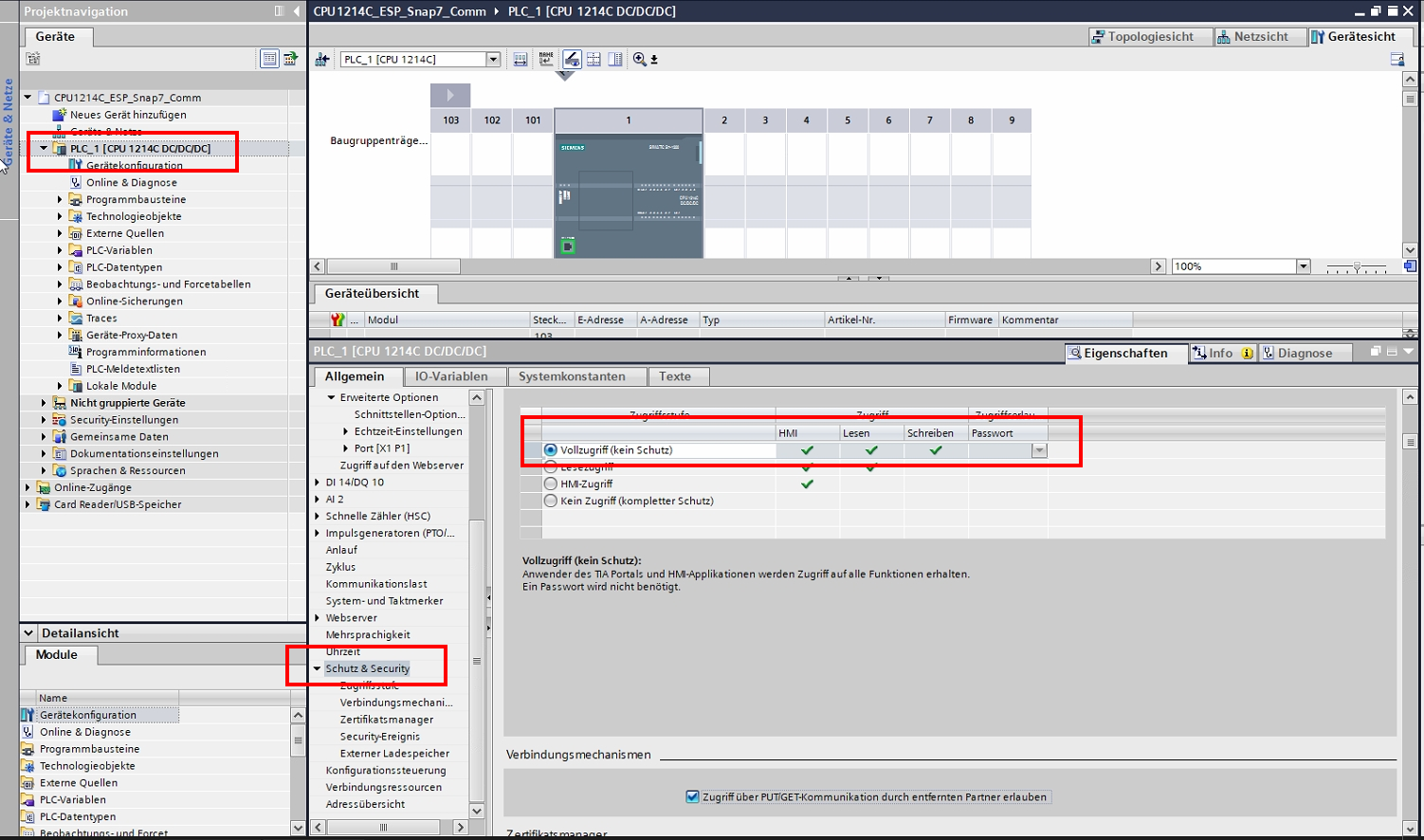
So that the communication via the S7 protocol can be established, the security on the CPU must be deactivated.
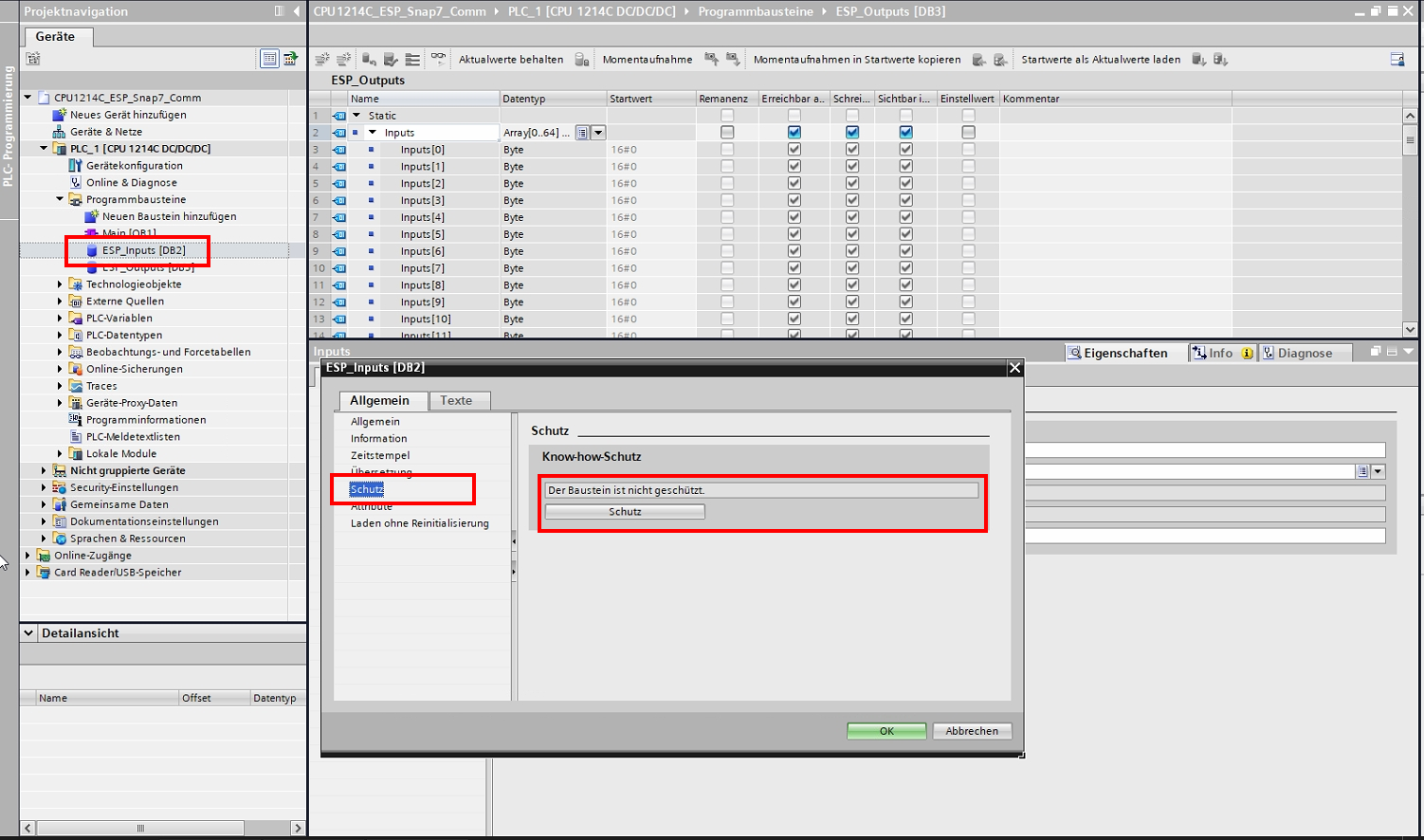
For the inputs and outputs of EasySightPro® separate data block (DB) must be created
The protection of the data blocks must be deactivated for the data synchronization to work.
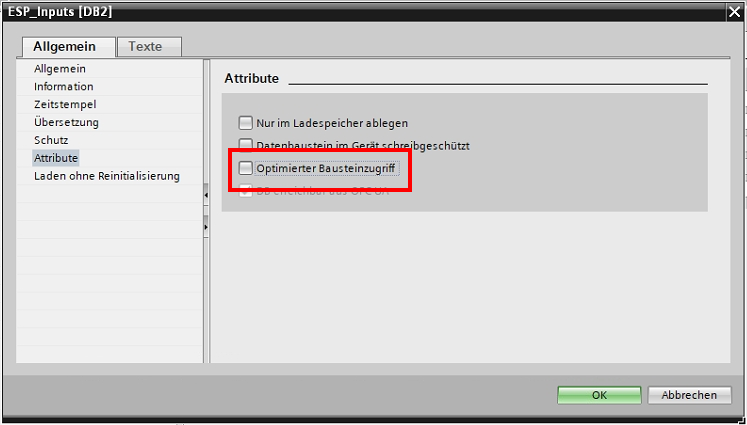
Next, the optimized block access for both DBs is deactivated.
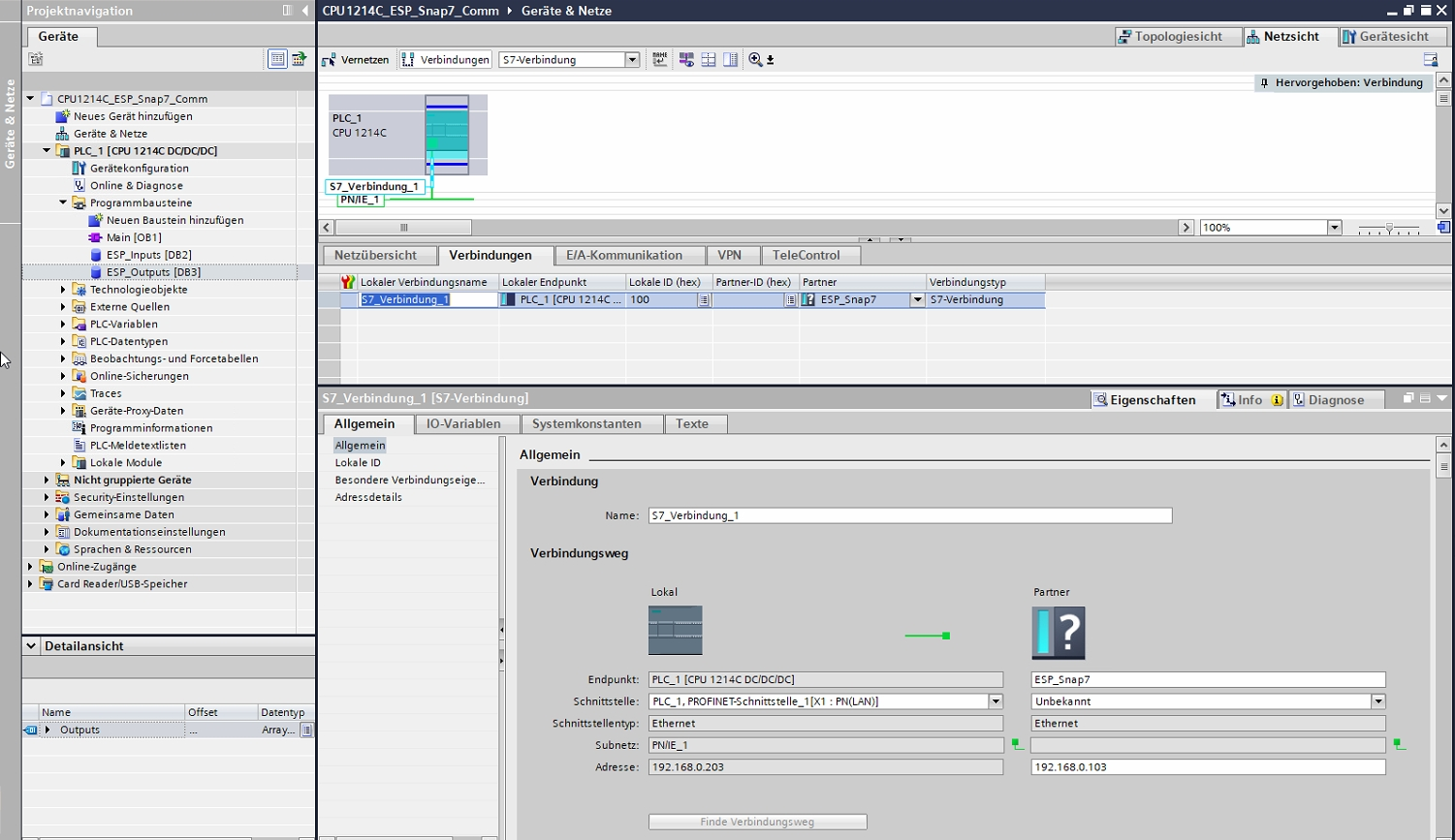
Next, add a new connection and enter the local IP address of the Vision Controller in the red field..
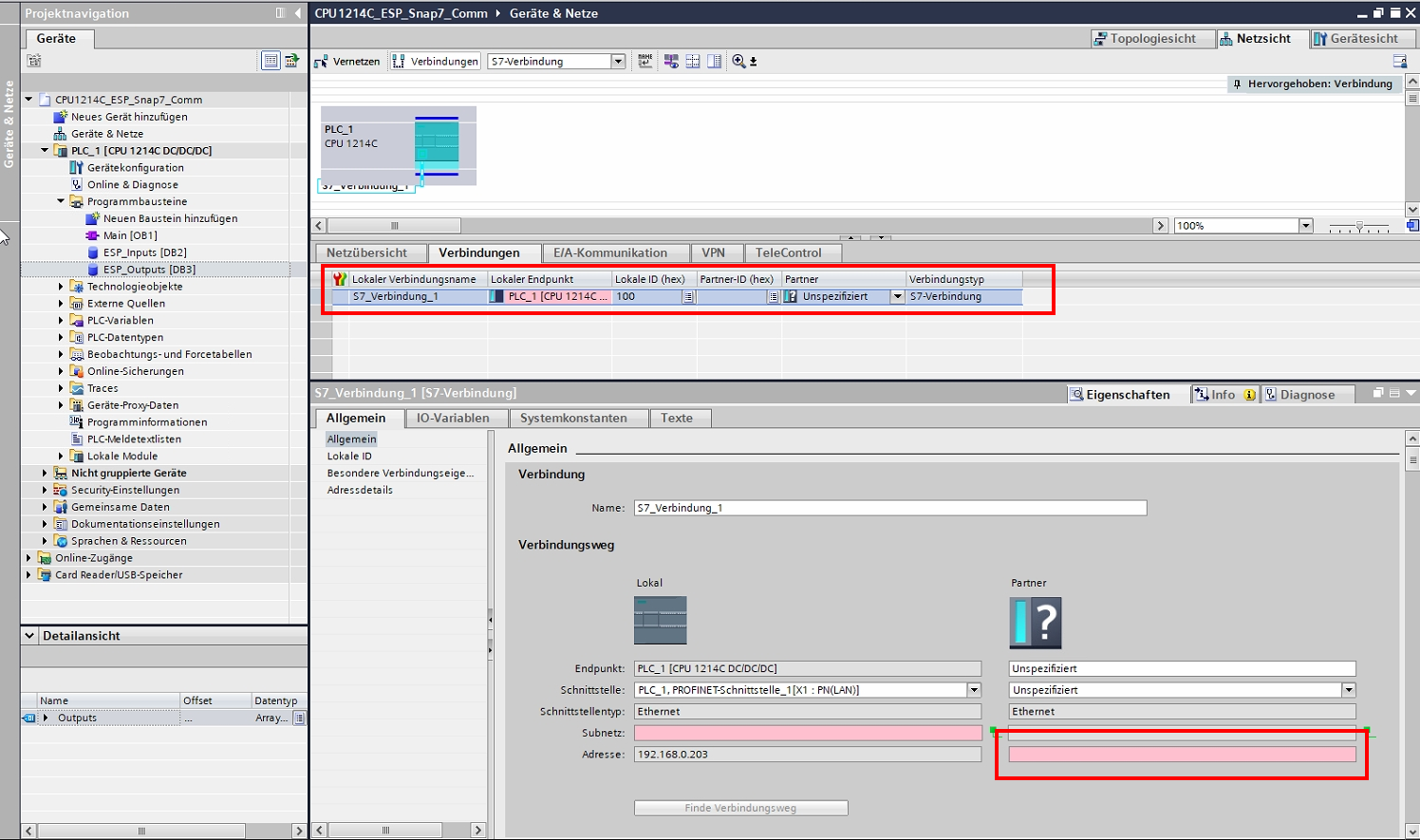
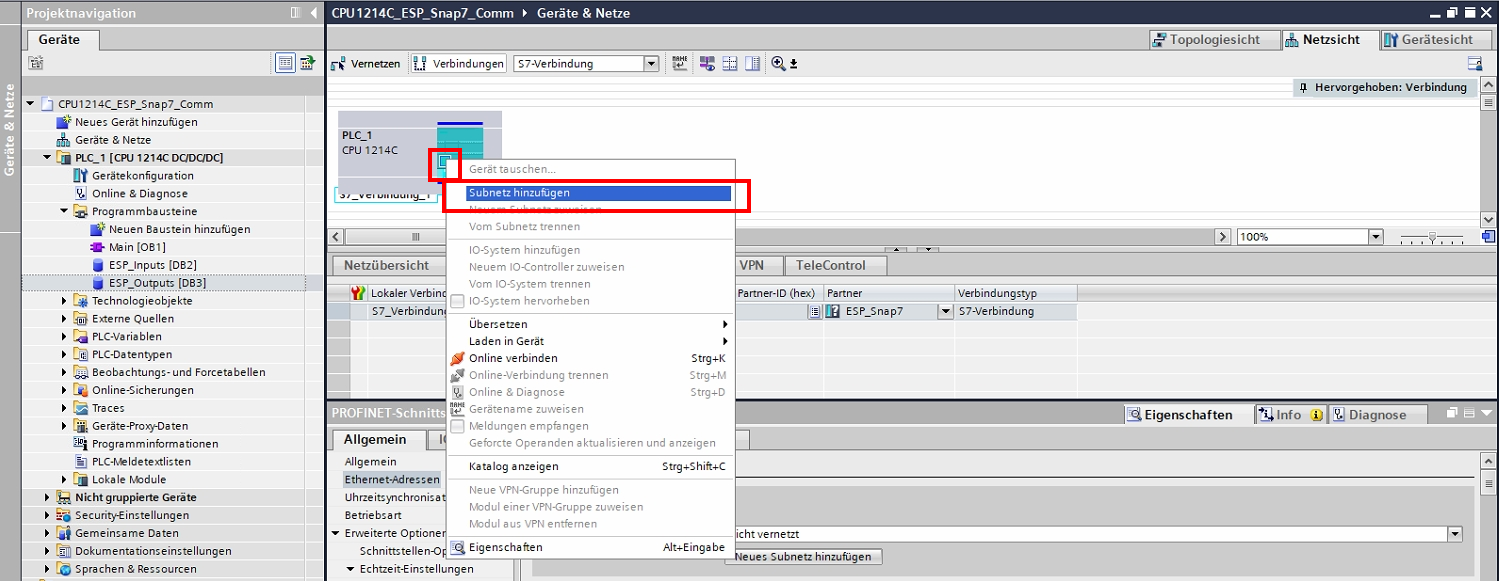
Add new subnet.
If all data is complete, then no more red fields are displayed.
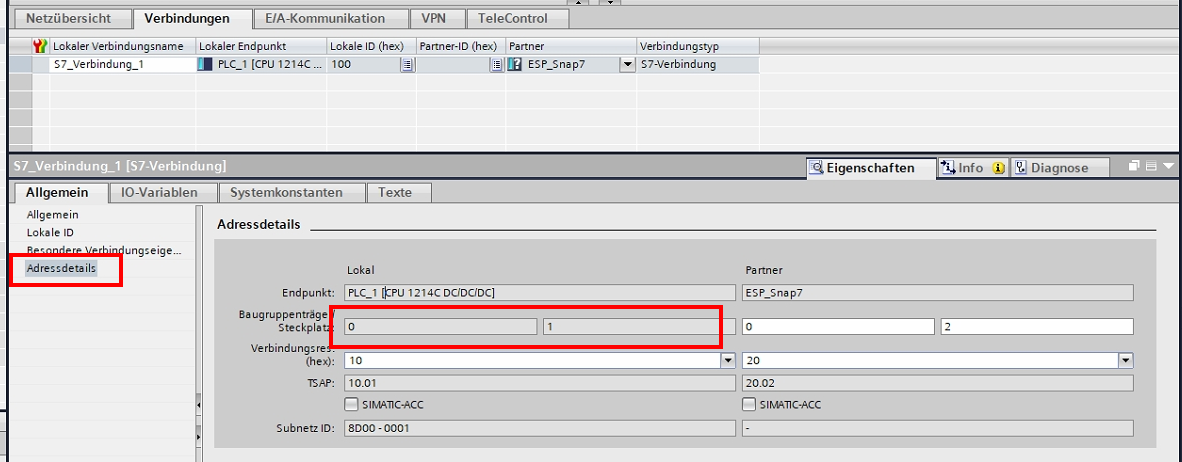
In the address details fill in the white fields according to the default and take over the rack and slot as rack and slot number in EasySightPro®.
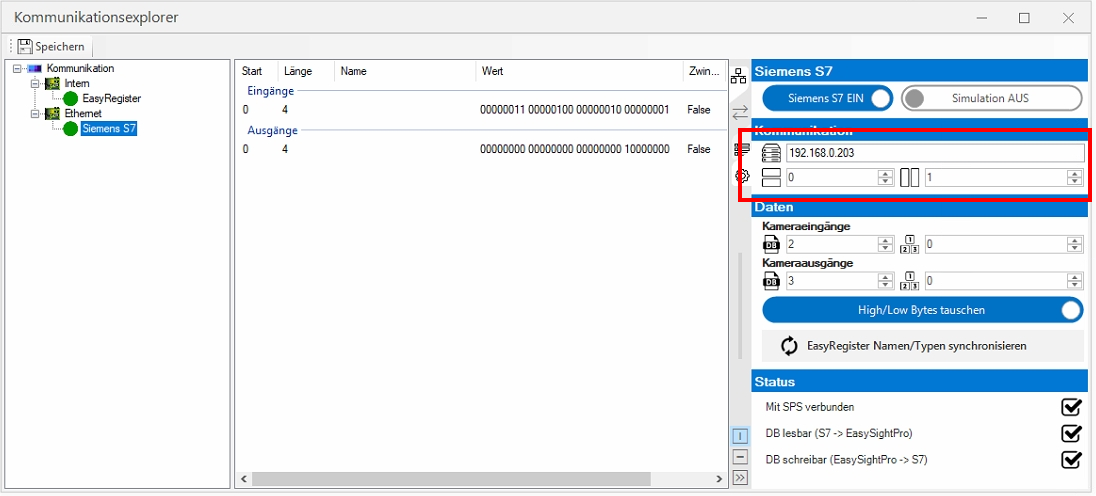
Information: So that the parameters are taken over in EasySightPro®, all settings must be taken over by "Save" in the communication explorer.
The current connection status is displayed under Status.